Best Software for Interior Design Students: A Complete Guide
 July 9, 2026
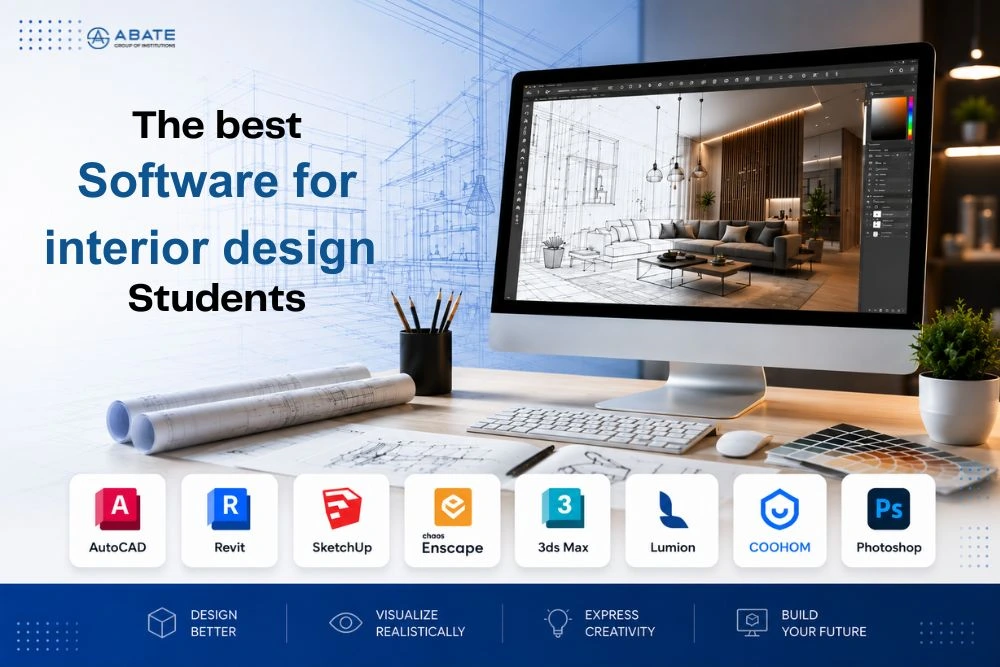
Interior design is no longer limited to sketches on paper and physical models. Today's designers use advanced software to create floor plans, realistic 3D visualisations, furniture layouts, lighting simulations, and client presentations. As technology continues to shape the design industry, learning professional design software has become an essential part of interior design education.
For aspiring designers, mastering industry-standard software not only improves creativity but also enhances technical skills and employability. Whether you dream of designing luxurious homes, commercial spaces, or hospitality interiors, the right software can help transform your ideas into reality.
In this guide, we'll explore the best software for interior design students, their features, and why learning them is important for a successful design career.
Why Should Interior Design Students Learn Design Software?
Interior design is a practical profession where technology plays a major role. Design software allows students to:
- Create accurate floor plans
- Develop realistic 3D models
- Visualize design concepts
- Experiment with colors and materials
- Improve project presentations
- Collaborate with architects and clients
Most design firms expect graduates to have experience with professional software before entering the industry.
1. AutoCAD
AutoCAD is one of the most widely used drafting software programs in architecture and interior design. It enables students to create precise 2D drawings and detailed technical plans.
Key Features
- 2D drafting and documentation
- Floor plans and elevations
- Accurate dimensions
- Construction drawings
- Professional layouts
Why Students Should Learn AutoCAD
AutoCAD forms the foundation of technical drawing. Almost every interior design project begins with a well-prepared floor plan, making this software an essential skill for aspiring designers.
2. SketchUp
SketchUp is known for its user-friendly interface and quick 3D modeling capabilities. It helps students visualize design ideas more effectively.
Key Features
- Easy 3D modeling
- Furniture placement
- Interior visualization
- Material application
- Extensive model library
Why Students Should Learn SketchUp
SketchUp allows students to convert ideas into realistic models quickly, making it ideal for presentations and conceptual design.
3. Autodesk Revit
Revit is a Building Information Modeling (BIM) software used extensively in architecture and interior design.
Key Features
- Intelligent building modeling
- Interior planning
- Collaboration with architects
- Material scheduling
- Construction documentation
Why Students Should Learn Revit
As BIM becomes increasingly popular, Revit knowledge provides students with a significant advantage in professional practice.
4. 3ds Max
3ds Max is one of the most powerful visualization software applications used in the design industry.
Key Features
- Photorealistic rendering
- Interior visualization
- Lighting simulation
- Animation
- High-quality presentations
Why Students Should Learn 3ds Max
Students can create highly realistic interior scenes that impress clients and strengthen their design portfolios.
5. Adobe Photoshop
Photoshop is widely used for editing presentation boards, rendering images, and enhancing design visuals.
Key Features
- Image editing
- Presentation boards
- Texture enhancement
- Mood boards
- Visual effects
Why Students Should Learn Photoshop
Strong presentation skills are essential in interior design, and Photoshop helps students present their concepts professionally.
6. Adobe Illustrator
Illustrator is useful for creating graphics, diagrams, icons, and presentation materials.
Key Features
- Vector illustrations
- Layout design
- Graphic presentations
- Branding concepts
Why Students Should Learn Illustrator
It improves the visual quality of portfolios and client presentations.
7. Lumion
Lumion is a real-time rendering software that transforms 3D models into realistic visualizations.
Key Features
- Fast rendering
- Realistic lighting
- Landscaping
- Animation
- Walkthrough videos
Why Students Should Learn Lumion
Lumion allows students to create immersive project presentations with minimal effort.
8. V-Ray
V-Ray is one of the most popular rendering engines used with SketchUp and 3ds Max.
Key Features
- Photorealistic rendering
- Advanced lighting
- Material simulation
- High-quality visuals
Why Students Should Learn V-Ray
Professional-quality renderings help students build impressive portfolios.
9. Figma
Although primarily used for digital design, Figma helps interior design students create presentation layouts, project documentation, and collaborative design concepts.
Key Features
- Team collaboration
- Design presentations
- Layout planning
- Interactive prototypes
10. AI-Powered Design Tools
Artificial Intelligence is transforming the interior design industry by improving productivity and creativity.
AI-powered tools assist students with:
- Space planning
- Furniture arrangement
- Material suggestions
- Colour palette generation
- Design inspiration
- Visualization
Learning AI tools prepares students for the future of interior design.
Which Software Should Beginners Learn First?
Students often wonder where to begin. A recommended learning path is:
- AutoCAD – Technical drawings and floor plans
- SketchUp – 3D modeling
- Photoshop – Presentation and visualization
- Revit – BIM and professional workflows
- 3ds Max + V-Ray – Advanced rendering
- Lumion – Real-time visualisation
- AI-powered tools – Future-ready design
This progression helps students build a strong technical foundation.
Benefits of Learning Multiple Design Software
Students proficient in multiple software programs gain several advantages:
Better Employability
Employers prefer candidates who are comfortable using industry-standard tools.
Improved Creativity
Different software applications provide unique ways to visualise and present ideas.
Stronger Portfolio
High-quality renderings and technical drawings make portfolios more attractive.
Faster Workflow
Software automation reduces repetitive tasks and increases productivity.
Industry Readiness
Knowledge of professional software enables students to transition smoothly into design firms.
How Software Skills Improve Career Opportunities
Software proficiency opens doors to careers such as:
- Interior Designer
- Space Planner
- Furniture Designer
- Commercial Interior Designer
- Residential Designer
- Exhibition Designer
- Retail Designer
- Design Consultant
- 3D Visualisation Artist
- BIM Specialist
Many employers consider software expertise a key hiring criterion.
Tips for Interior Design Students Learning Software
- Start with one software before moving to advanced applications.
- Practice by recreating real interior spaces.
- Work on personal design projects.
- Build a digital portfolio showcasing your work.
- Stay updated with software advancements and AI-driven design tools.
- Participate in workshops and online tutorials to strengthen your skills.
At Abate Group of institutions, we provide the best interior designing courses in Malappuram, Calicut, and Kannur with software guidance. You can join Abate for expertising these tools.
Why Practical Software Training Matters
Learning software through practical projects is more effective than studying theory alone.
Hands-on training helps students:
- Understand real design workflows
- Solve practical design challenges
- Improve speed and accuracy
- Gain confidence in project execution
- Prepare for internships and employment
Practical exposure ensures students are ready for professional responsibilities.
Why Choose Abate Group of Institutions for Interior Design?
At Abate Group of Institutions, the interior design institute in Calicut, Kannur, and Malappuram, technology is an integral part of the Interior Design curriculum. Students receive industry software training on professional tools used by architects and interior designers, helping them build technical expertise alongside creative skills.
The program also features an industry-focused curriculum, AI-integrated learning, hands-on studio projects, international industrial exposure, and placement assistance. This comprehensive approach ensures graduates are equipped with the knowledge, software proficiency, and practical experience required to excel in today's competitive interior design industry.
Final Thoughts
Design software has become an essential skill for every aspiring interior designer. From creating technical drawings and 3D models to producing realistic visualisations and client presentations, software plays a crucial role in every stage of the design process.
Students who master industry-standard tools such as AutoCAD, SketchUp, Revit, Photoshop, and AI-powered design applications gain a significant advantage in their careers. Combined with creativity, practical training, and strong design fundamentals, software expertise prepares students to meet the evolving demands of the interior design industry.
Investing time in learning these tools during your education will not only strengthen your portfolio but also increase your confidence and career opportunities in India and abroad.